Premium font studio for Windows 10 / 11
A desktop app for people who
care about type.
MONA is the font viewer, organizer, studio & pairer that fills the hole the old guard left behind. Local-first, private, and fast — every font rendered in its own typeface.
v1.1.0 · NSIS & MSI installers + portable build · all 1.x updates included
Why MONA exists
The font-manager market emptied out.
FontExplorer X Pro and Extensis Suitcase Fusion both reached end-of-life. The remaining pro tier consolidated into enterprise subscriptions. Designers were left choosing between abandoned tools and renting their font library back.
MONA fills that gap — a serious, local-first font studio with capabilities the paid incumbents don’t offer, built on the same memory-safe font stack Google is integrating into Chrome.
Activation that cleans up after itself
Activate a font for 15 minutes, for a single app’s process, or permanently — with saved profiles per project. Scoped activations auto-deactivate on exit, so your system font list never bloats. Almost no mainstream font manager offers this.
Pairing you can argue with
The pairer returns a per-pair score breakdown — why these two fonts work together (x-height, weight contrast, PANOSE, co-occurrence). Other tools are black boxes; MONA shows its reasoning.
Color-font inspection
The Lab renders and inspects COLR/CPAL color palettes — a capability Figma still lacks natively and Adobe XD never had.
Local-first by design
No account, no telemetry, no mandatory network. Font files never leave your machine; the catalog is a local SQLite database. Your type library is yours.
Five pillars
Everything a type person does, in one app.
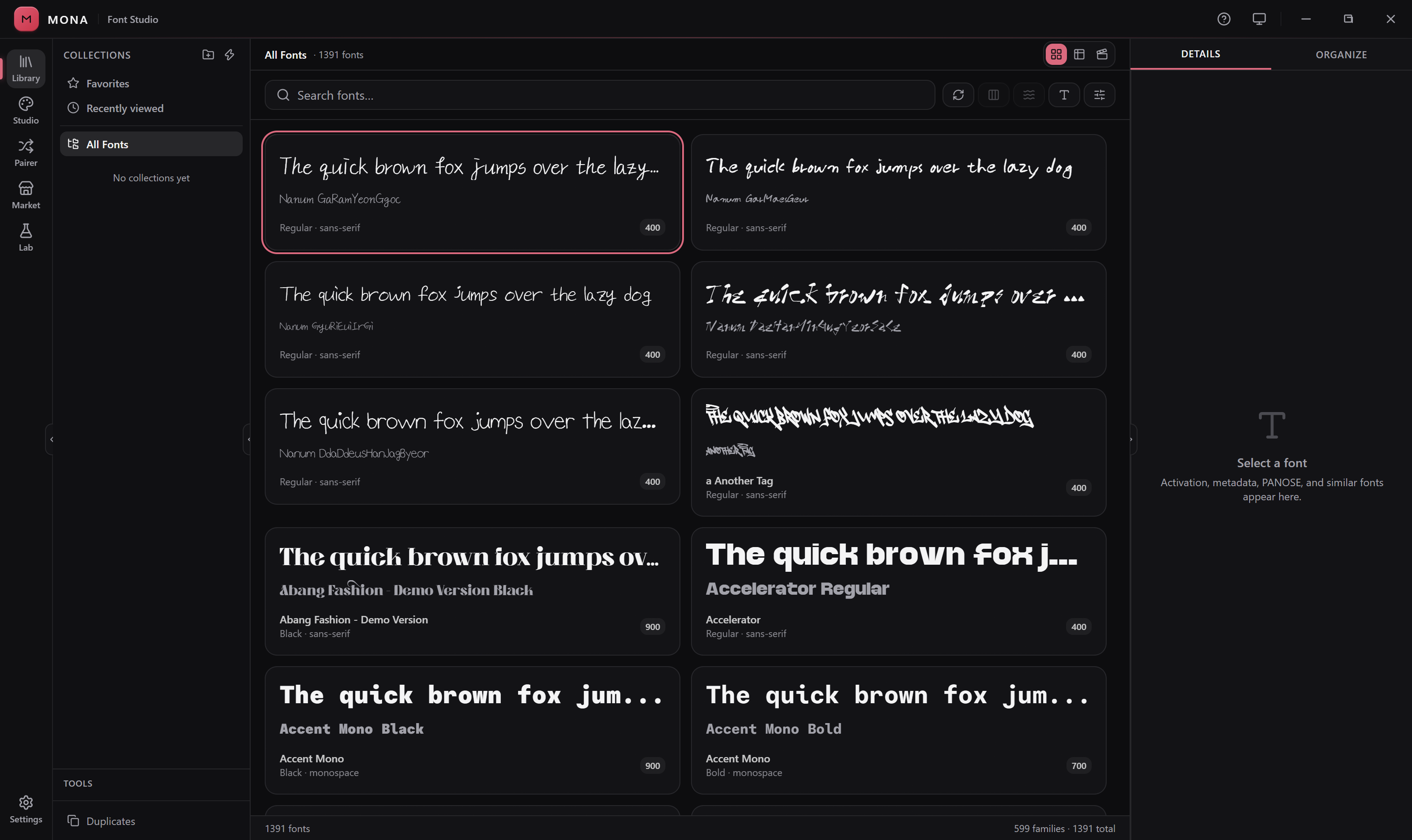
Library
Browse your entire collection, every face rendered in its own typeface.
- Static & smart collections, tags, duplicates finder
- Waterfall size comparison view
- Family grouping
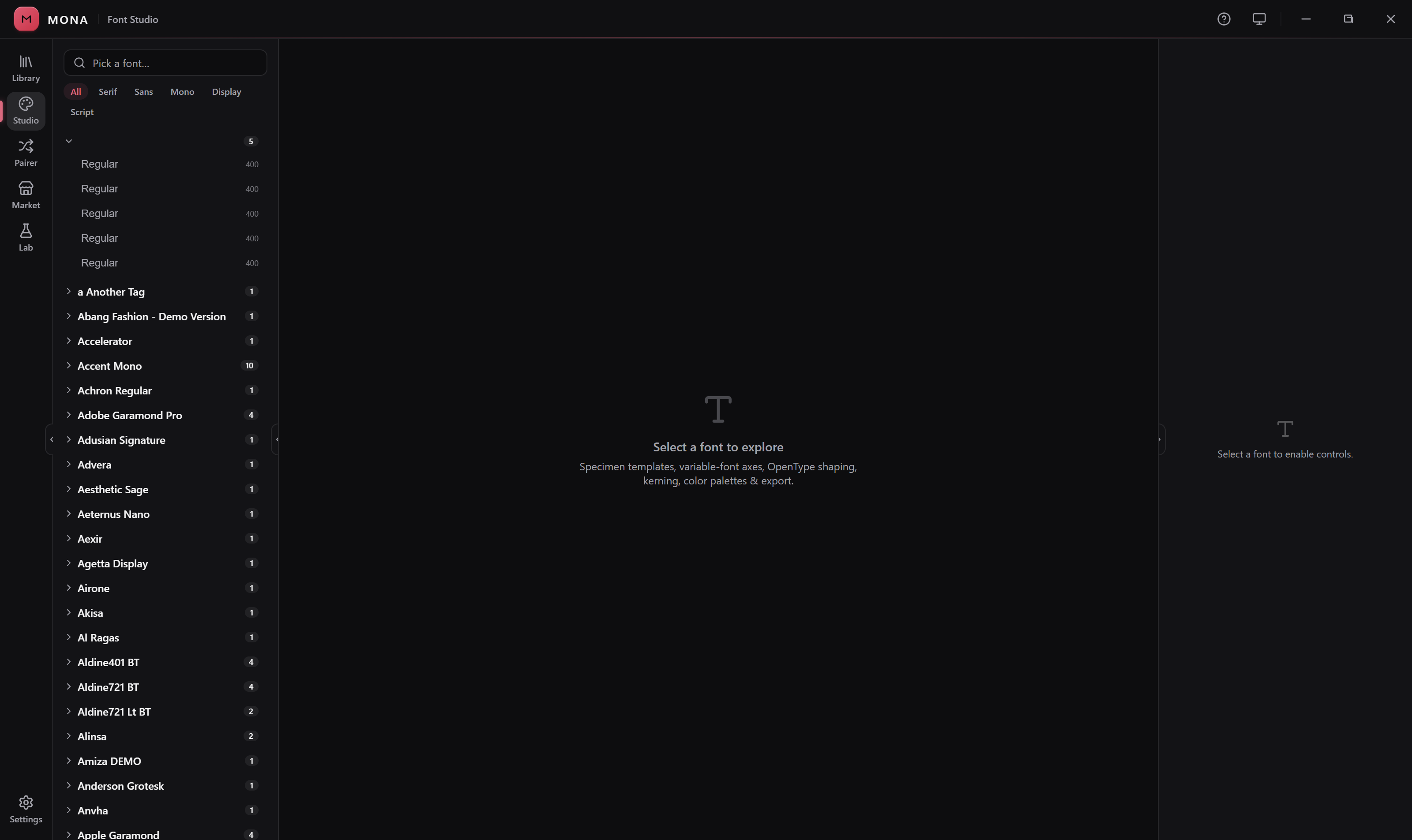
Studio
A specimen workbench for variable fonts and OpenType features.
- Drag variable axes, toggle OT features
- Export specimens as PNG & SVG
- Self-contained web-font packages (CSS + WOFF2)
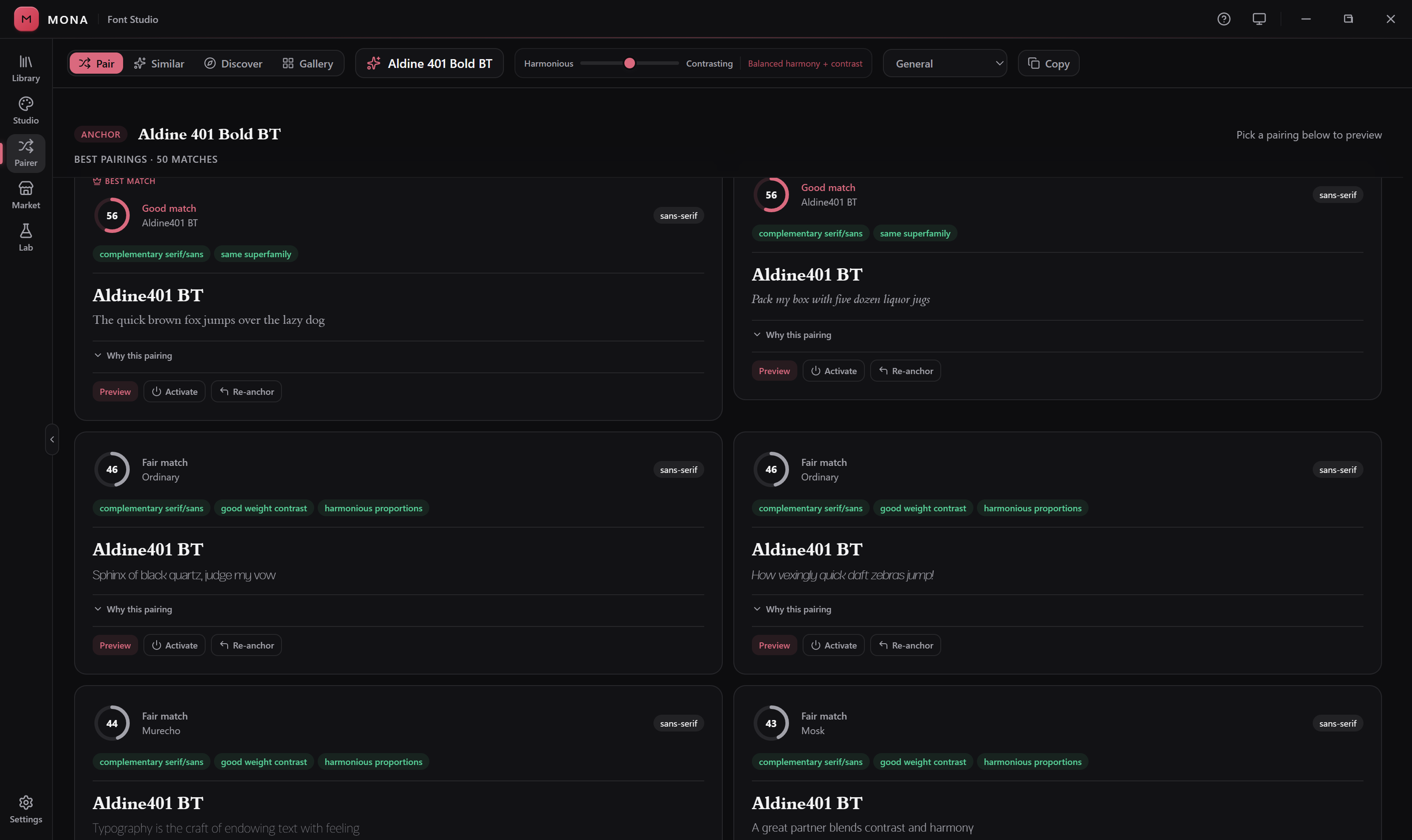
Pairer
Find fonts that work together — with the reasoning shown.
- Per-pair score breakdowns (x-height, weight, PANOSE)
- Discover feed tuned to your favorites
- Curated gallery of hand-picked pairings
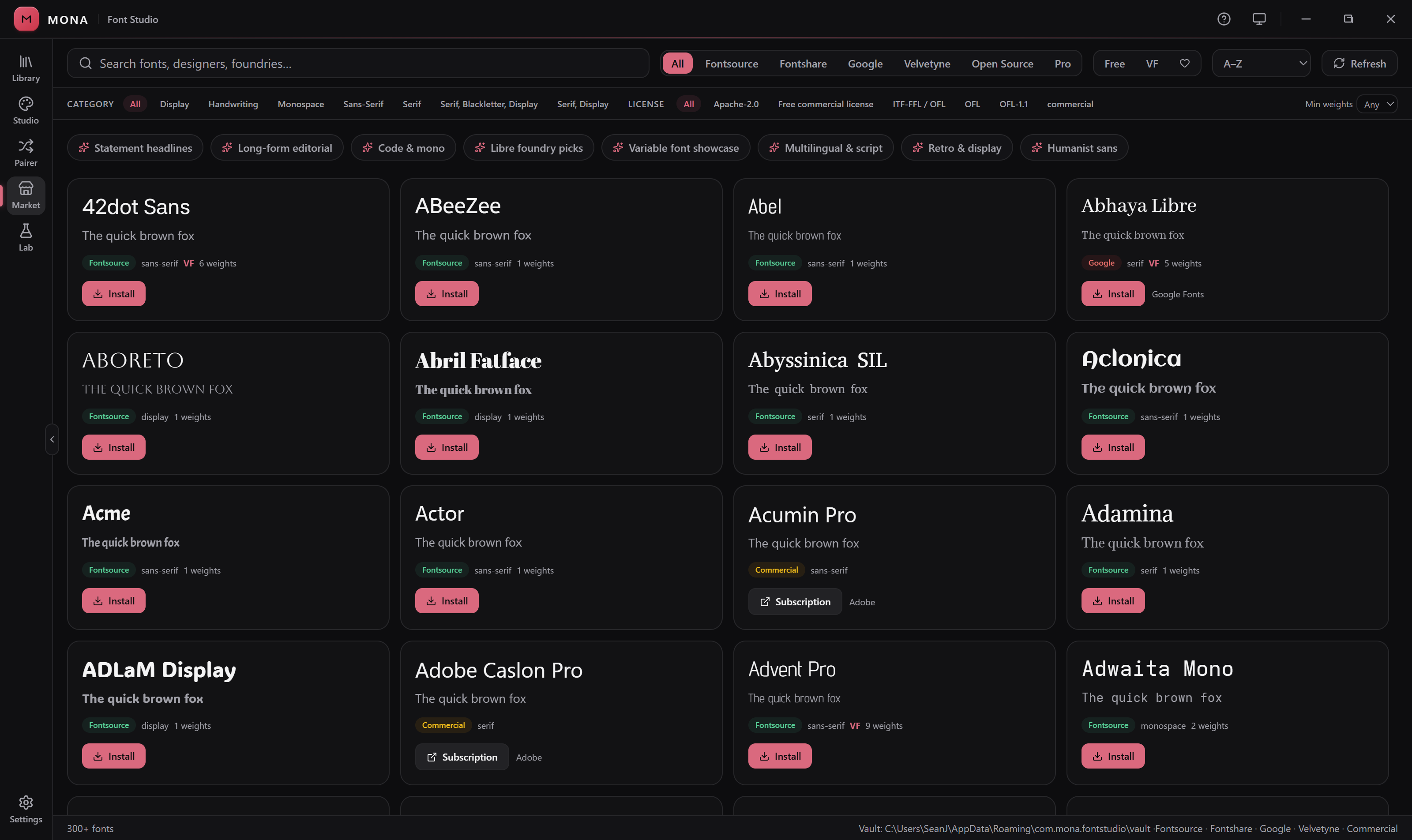
Market
2,500+ free fonts, one click away.
- Fontsource, Google Fonts & Fontshare catalogs
- Install without a browser or file wrangling
- Identify an unknown font from an image
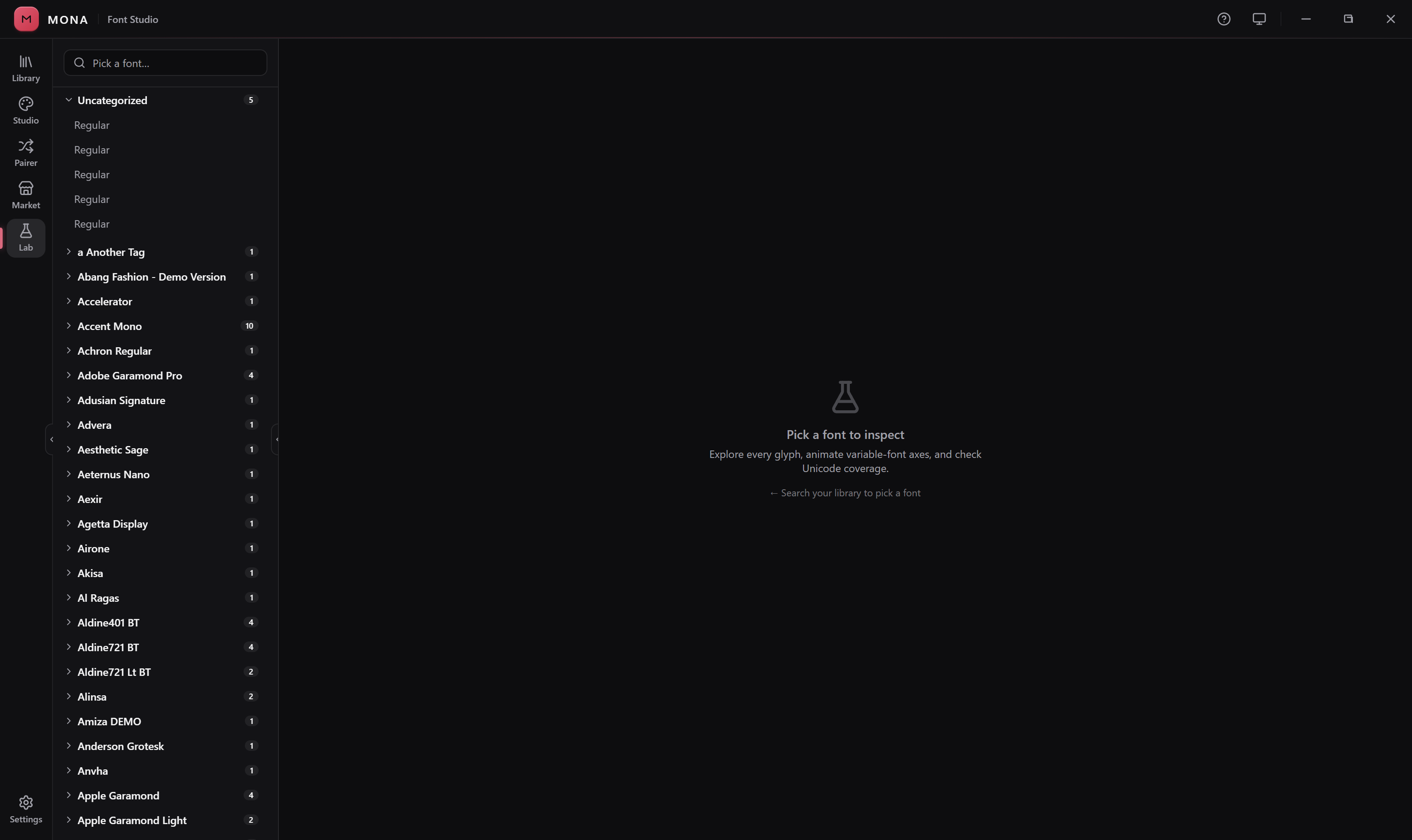
Lab
Inspect any font down to the glyph.
- Full glyph table with Unicode names
- Shaping output (GSUB/GPOS)
- Color palettes (COLR/CPAL) & coverage by block
Built on the font stack Chrome is moving to. MONA’s parsing, glyph rasterization and shaping run on Google’s Fontations crates
(skrifa, read-fonts, swash) — a memory-safe foundation,
not a re-skin of an aging C++ engine.
A taste of your library
These are your fonts. This is what MONA sees.
Every card below is being rendered right now by a font family already installed on your machine — no images, no downloads. Now imagine all of them, organized, searchable, and activatable in one click.
(That’s the local-first idea in one image: MONA reads what’s already on your disk — and never sends it anywhere.)
The waterfall view
One font, every size, side by side.
The classic specimen exercise — the pangram at six sizes — is a single view in MONA’s Library, for every face you own.
Pricing
Pay what you want. Really.
$19 is the suggested price. $0 is fine. Whatever you pay, you get the same app and every 1.x update.
- ✓ NSIS & MSI installers + portable build
- ✓ All future 1.x updates
- ✓ No account — just an email for delivery
- ✓ VAT handled at checkout
- ✓ 14-day refund, no questions
Get it now
Downloading can be the easy part.
The portable build is a direct download from this page — no checkout, no email, no wait. If MONA earns its keep, come back and pay what it’s worth.
Free download
MONA v1.1.0 — portable
Unzip anywhere and run mona.exe.
No installer, no admin rights. Windows 10/11 (uses the built-in WebView2 runtime).
SHA-256 598fb311069ad24033a98ce2ac4c980026699956f8d4d020cfe99b711798b130 Verify after download: certutil -hashfile MONA_1.1.0_x64-portable.zip SHA256 should
match the checksum above. Full installers (NSIS / MSI) arrive with checkout.
FAQ
Fair questions.
Is it really pay-what-you-want?
Yes. The checkout lets you enter $0 and walk away with the full app — same features, same license, same updates. Pay if MONA is worth it to you; that’s the whole model.
Portable zip or installer — which do I want?
The portable zip is the fastest start: unzip anywhere, run mona.exe, no admin rights. It uses your system’s WebView2 runtime (built into Windows 10/11). The NSIS/MSI installers add Start-menu integration, font-file associations, and a bundled offline WebView2 — they arrive with checkout.
Windows shows “protected your PC” on install. Why?
MONA is not yet Authenticode-signed (a code-signing certificate is a planned purchase). Click More info → Run anyway. Every download is checksummed on this page so you can verify what you received.
What about my privacy?
MONA is local-first: no account, no telemetry, no mandatory network calls. Optional features (marketplace browsing, font install, font ID) talk to Fontsource, Google Fonts, Fontshare and jsDelivr — and that’s it. See the privacy policy.
macOS or Linux?
Windows 10/11 today. macOS is planned; Linux is not on the roadmap yet.
Do I get updates?
Yes — every purchase/download includes all future 1.x updates, delivered through the in-app updater.
Is MONA open source?
No. MONA ships as a closed-source binary; third-party components remain under their own licenses and are listed in the bundled NOTICE. Your fonts and data stay on your machine — that’s a design guarantee, not a promise you have to audit.
Your fonts are waiting.
Download MONA, point it at your font folders, and never dig through a font menu again.